A grid uses horizontal and vertical lines to divide a two-dimensional plane into smaller fields. The fields can obtain an equal or unequal size and are separated by a gutter.
Columns are the vertical lines that set the width of a text line. It is widely known that a line of text should include between 7 and 10 words in order to maximize legibility.
Columns are the vertical lines which set the width of a text line. It is commonly known that a line of text should have between 7 to 10 words to maintain a text which is easy and comfortable to read.
The font size should be determined by the column width. As small the font is, the small the column should be to maintain a high readability text.
A too long line of text, makes it hard to track line and keep a steady reading rhythm. A too short line of text, makes the eye jitter from side to side, which require a lot of energy to read.
Columns are the vertical lines which set the width of a text line. It is commonly known that a line of text should have between 7 to 10 words to maintain a text which is comfortable to read.
A too long line of text, makes it hard to track line and keep a steady reading rhythm. A too short line of text, makes the eye jitter from side to side, which require a lot of energy to read.
The font size should be determined by the column width. As small the font is, the small the column should be to maintain a high readability text.
Margin is the space surrounding the type area. If the space is too small, the reader may feel the page is overfull. A large margin, on the other hand, gives way to narrow proportions and might create a false impression that the text is more important than the writer intended it to be.
Now that we know the basics, we can go ahead and construct the grid. A grid is a flexible system that can be suited for any kind of content. In order to apply it, the content must be well-planned.
The decision regarding the optimum number of columns requires a well-thought-out plan that includes content type, number of hierarchies, and special details that should be handled carefully.
Two column give more scope. The text can be separated from the illustration and both illustration and text can be set in two different sizes.
an odd number of columns can add a variety of opportunities for placing text and illustrations in various sizes and help break the simitry composition wise.
Dividing two columns grid into four, help to increase the variety of the composition.
Six columns, or more, give more and more flexibility to place different kind of text in a different kind of hierarchy. But makes the layout to be much less strict and systematic
Moscow Publishing
page 375
The two columns grid are very often used on manuals and guid books. It offers a persistent reading rhythm with combination of different images sizes that helps explain each section.
Pocket book
page 44
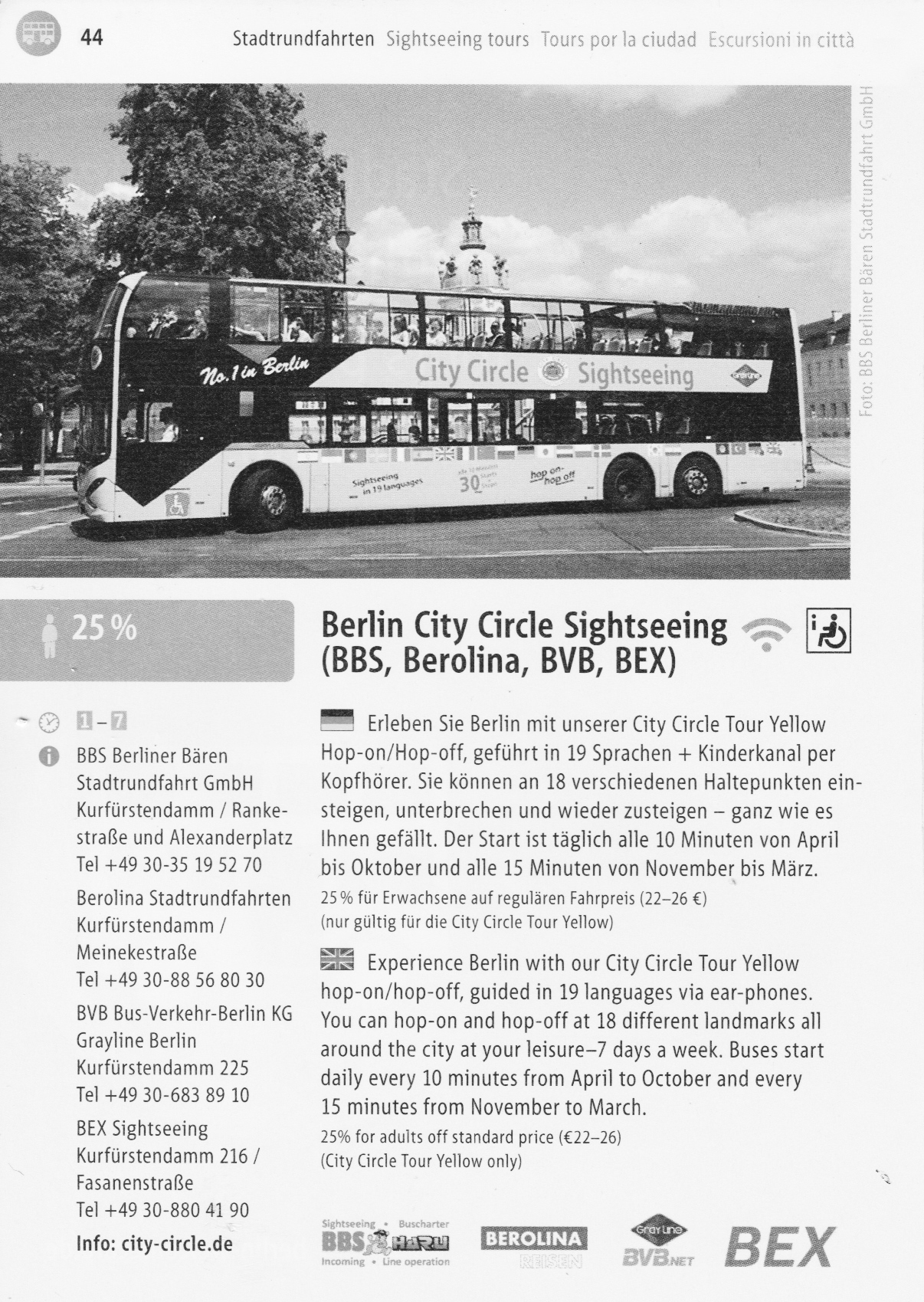
An uneven columns sizes, as we see in this Berlin tourist guide, help to separate different hierarchy content from one which should be read quickly and one that required some more attention.
Catalogue (1993)
page 26
Catalogs requires flexible grid that will allow to give more space for images and in most cases, present at list one hero section for wide image to present the product or service the company aimed to present.
Art Magazie
It is common to see more flexible grid in magazines to support many type of content and layouts to keep on various compositions. The example above uses a 4 columns grid.
Magazine
page 3
Trends magazine is an example of multiple columns with uneven width. This kind of grid help to create a clear sections separation in a page, to help the reader to explore different articles in a page.

As we know by now, in order to implement a grid system into our work, an evaluation of the content and page format is to be made. This goes smoothly in the world of print, where the format, layout, typesetting, and content of the book and are established before the design process begins. With the introduction of the web, where users determine the content, alongside different screen sizes, the grid system has become harder for implementation. After all, the grid system was invented long before designers had access to computers.
Since the invasion of smartphones into our lives, digital designers were forced to accept the new concept of different screen sizes. These didn’t stop at two or three different sizes but came in dozens of sizes, resolution and pixel densities.
And so, a responsive design methodology became more and more binding. A responsive website means that the page will respond to the size of the screen, platform, and orientation.
While the traditional grid system required exact format size and calculation of lines within columns, the digital format requires much more flexibility. Instead of exact sizes, we use a proportion metric where each element should take a proportioned size of the screen.
The proportion methodology introduced new metric units that help to maintain responsiveness across devices.
Rather than using precise units, relative units are used. "vw" and "vh" represent the viewport width and height of the device. This helps to set a specific portion of the screen, regardless of the screen size. "%" is used to set a specific percentage from parent elements, regardless of the parent size.
A breakpoint defines the range of predetermined screen size which have specific layout requirements. At each breakpoint range, the layout will adjust to meet the screen size and orientation. Nowadays, it is most common to design for at list four breakpoints - Desktop, Tablet, Landscape Mobile and Portrait Mobile.
A breakpoint defines the range of predetermined screen sizes that have specific layout requirements. At each breakpoint range, the layout will adjust to meet the screen size and orientation. Nowadays, it is most common to design for at least four breakpoints - Desktop, Tablet, Landscape Mobile, and Portrait Mobile.
1200px and larger
1024 - 1200
1024px - 1200px
1024px - 1200px
The perspective drawing, as appears in Muller's book, shows how grid systems can be implemented to structure a space.With the aid of the grid, all the elements in the room - furniture, ceiling light, typography, and illustration are snapped to the surrounding grid.
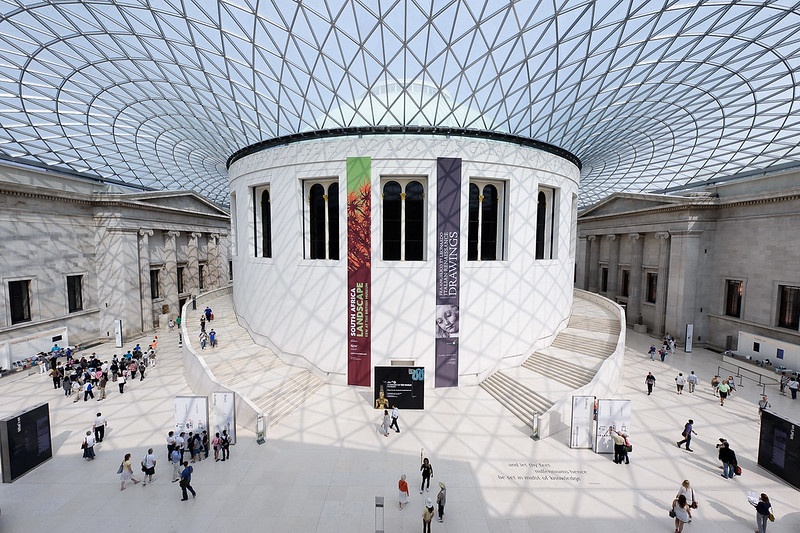
Grid systems are also quite common in architecture. Many buildings use grids to create a harmonic and unique space and structure. The British Museum Great Court is an example of such use:

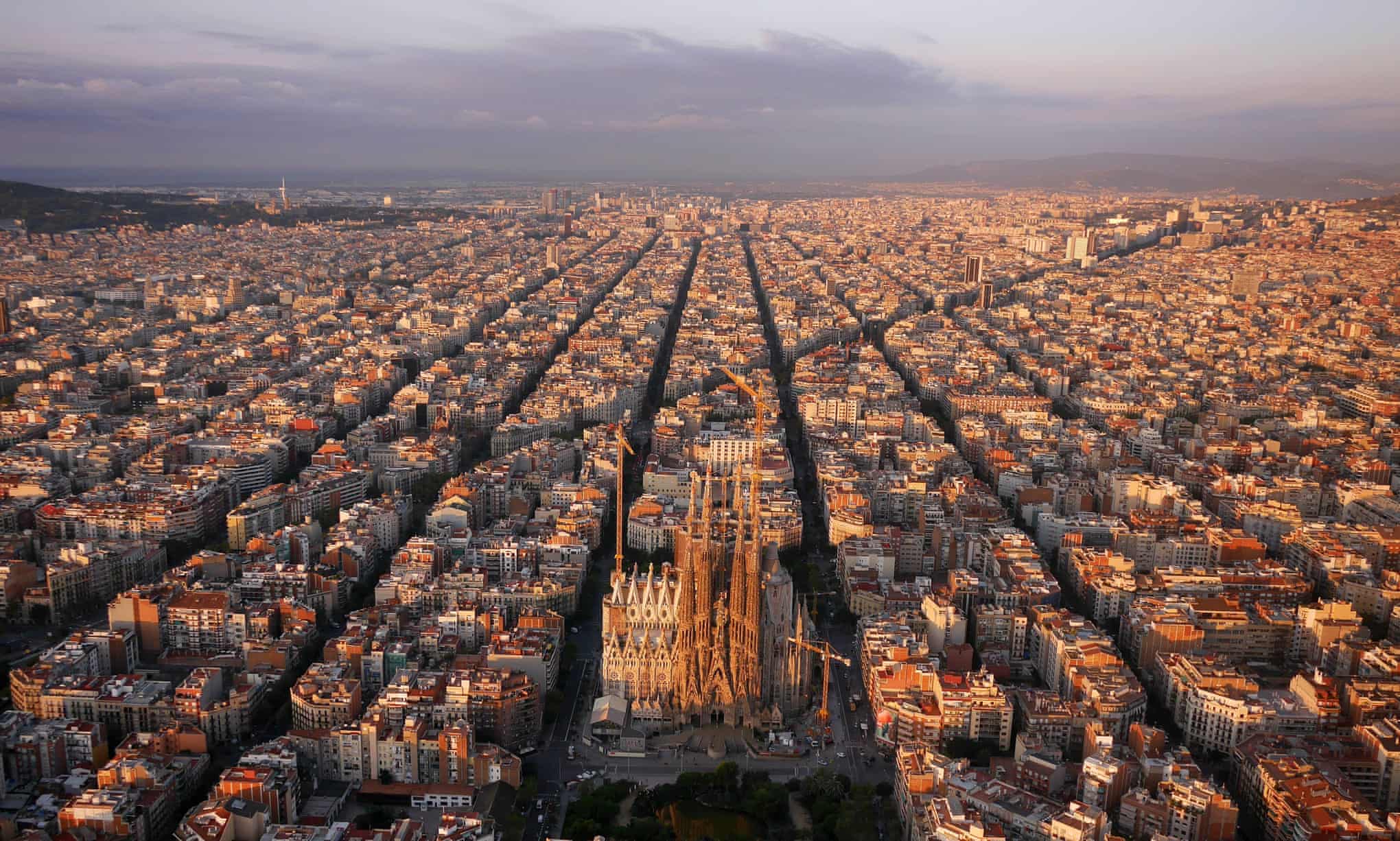
The grid doesn't stop with just buildings. Barcelona city can show how grids can be used on a mass scale:

Design & Developed by Yakir Mordehay. With the guidance of Pr.Tamir Shefer & Mali Crispey at Holon Institue of Technology. Based on a book by Josef Muller-Brockmann, Grid in Graphic Design.